Screenshots
Introduction
Magnifying Glass is a versatile and practical application developed by Binghuo Studio that transforms your smartphone into a digital magnifier. With version 4.9.6, this free Android app is designed to enhance the user's ability to read small text or examine intricate details without the need for glasses. It is suitable for a wide range of users, including those with visual impairments, hobbyists working on small electronics, and even children eager to explore the world around them. The app harnesses your phone's camera, allowing for easy zooming and the use of a flashlight, making it perfect for various reading and inspection needs.
Graphics & Gameplay
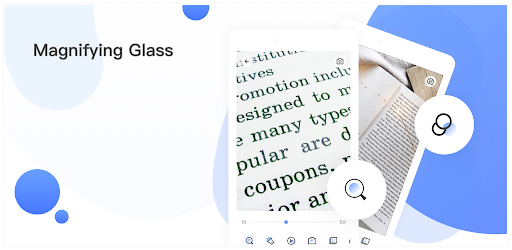
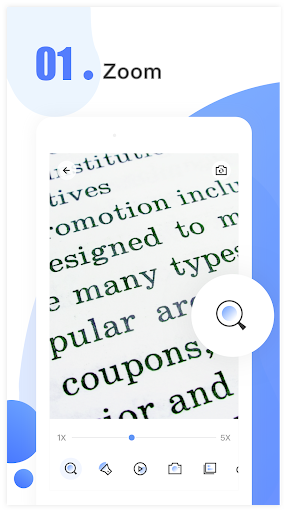
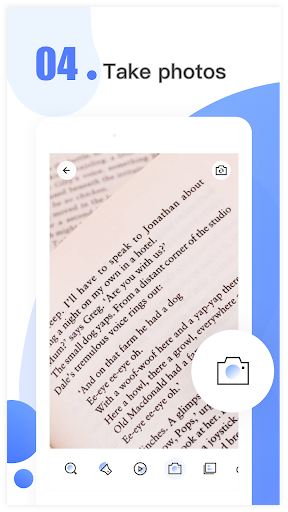
The visual design of the Magnifying Glass app is intuitive and user-friendly, as illustrated in the accompanying screenshots. The interface is clean and straightforward, with minimal distractions, ensuring that users can focus on what they need to magnify. The primary screen displays a live camera feed, allowing users to point their devices at objects or text easily. The zoom functionality is prominently featured, enabling smooth transitions from 1x to 10x magnification with simple finger gestures. The app also includes a flashlight option for low-light conditions, ensuring that users can still make out details in dark environments.
Additional graphics, such as filter effects, enhance user experience by reducing eye strain while viewing magnified images. The app's design is not only practical but also visually appealing, making it accessible for users of all ages. Overall, the graphics and gameplay of the Magnifying Glass app provide a seamless experience, allowing for effective magnification without unnecessary complications.
Key Features
- Zoom Capability: The app offers zoom levels ranging from 1x to 10x, allowing users to magnify text and details to their desired level.
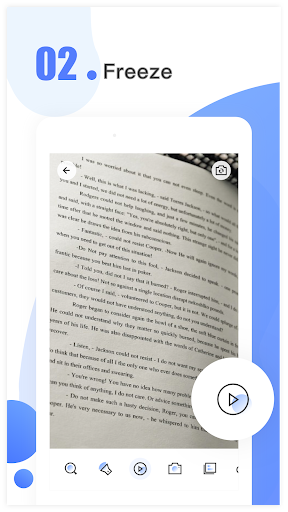
- Freeze Function: Users can freeze the camera feed to view magnified images in greater detail, which is especially useful for reading fine print.
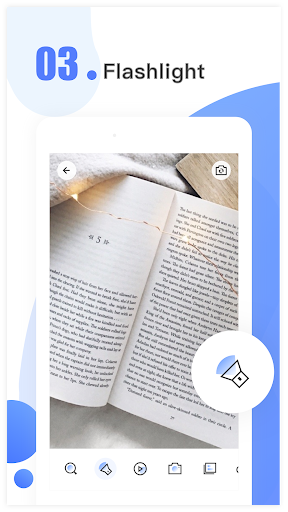
- Flashlight Utilization: The built-in flashlight feature enables users to illuminate dark areas, making it easier to read in low-light conditions.
- Photo Capture: Users can take photos of magnified images, saving them directly to their devices for later reference or sharing.
- Image Filters: A variety of filter effects are available to minimize glare and protect users' eyes while using the app.
- Brightness Adjustment: Users can customize the screen brightness to suit their viewing preferences.
- User-Friendly Settings: The app includes adjustable settings to cater to individual user needs, ensuring an optimal experience.
Mod Features
- Premium Unlocked: Enjoy all features of the app without any restrictions, including enhanced zoom capabilities and exclusive filters.
- No Ads: Experience an uninterrupted user interface without any advertisements, providing a smoother and more enjoyable experience.
- Unlimited Money: Access premium filters and other in-app purchases without limitations, allowing for a fully customized experience.
- Custom Themes: Choose from a variety of themes to personalize the app's appearance according to your preferences.
- Advanced Image Processing: Benefit from state-of-the-art image enhancement technology to produce clearer and sharper magnified images.
How to Install APK on Android
Installing the Magnifying Glass APK on your Android device is a straightforward process. Follow these steps to get started:
- First, ensure that your device allows installations from unknown sources. You can do this by navigating to Settings > Security > Unknown Sources and enabling it.
- Next, download the APK file from the following link: Download Magnifying Glass APK.
- Once the download is complete, locate the APK file in your device's Downloads folder.
- Tap on the APK file to initiate the installation process and follow the on-screen prompts to complete the installation.
- After installation is complete, you can find the Magnifying Glass app in your app drawer and begin using it immediately.
Conclusion
In conclusion, the Magnifying Glass app by Binghuo Studio is a valuable tool for anyone in need of a digital magnifier. Its user-friendly interface, comprehensive features, and practical applications make it a must-have for individuals who require assistance with reading small text or examining fine details. Whether you're a hobbyist, professional, or simply curious, this app can significantly enhance your experience. Don't hesitate to give it a try!
Ready to magnify your world? Download the Magnifying Glass app now! Click here to download!